

- Home
- Guides
- Scan to order
- Customer Scans QR Code to Place Order
Customer Scans QR Code to Place Order
Pay First, Dine Later
1. Select Number of Diners
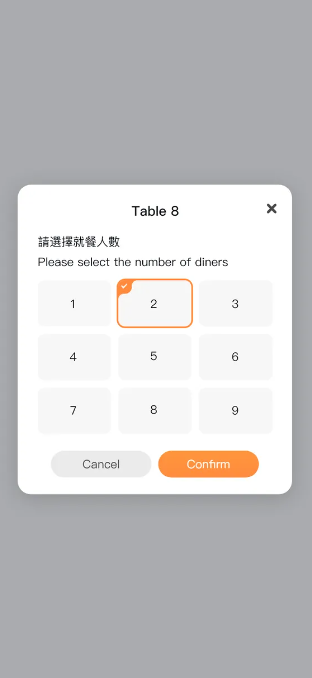
Customers scan the table QR Code to enter the page to select the number of diners.
2. Customer Places Order
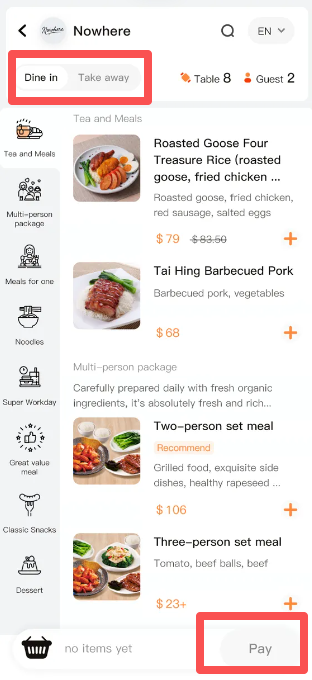
After selecting the number of diners, enter the store’s ordering page. On the ordering page:
○Users can select [Dine-in] or [Takeaway].
○After selecting dishes on the ordering page, click the [Pay] button to enter the payment page.
3. Customer Makes Payment
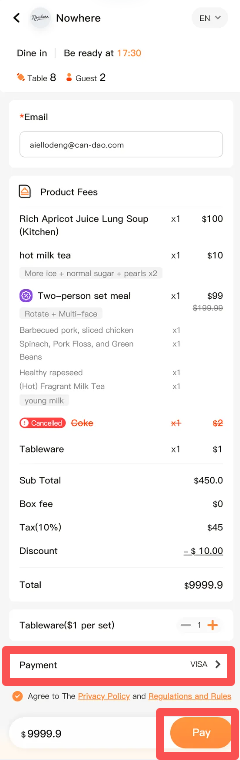
Click the [Pay] button on the ordering page to enter the order confirmation page. On the order confirmation page, the user needs to select a payment method. After selecting the payment method, click [Pay] to enter the payment process. The order is completed after the payment is finalized.
Place Order First, Pay Later
1. Select Number of Diners
Customers scan the table QR Code to enter the page to select the number of diners.
2. Customer Places Order
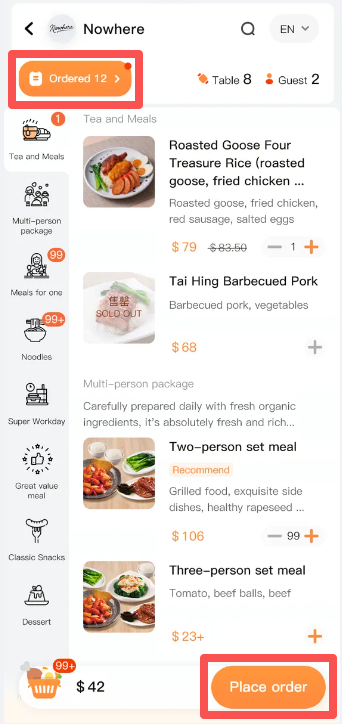
After selecting the number of diners, enter the store’s ordering page. On the ordering page:
○ Click the [ordered] button in the upper left corner to view the ordered dishes.
○ After selecting dishes, click [Place Order] to complete the order immediately.
In the “Place Order First, Pay Later” scenario, the customer needs to go to the merchant’s front desk to complete the payment through the Tappo terminal.
Configuration Method for Pay First or Pay Later
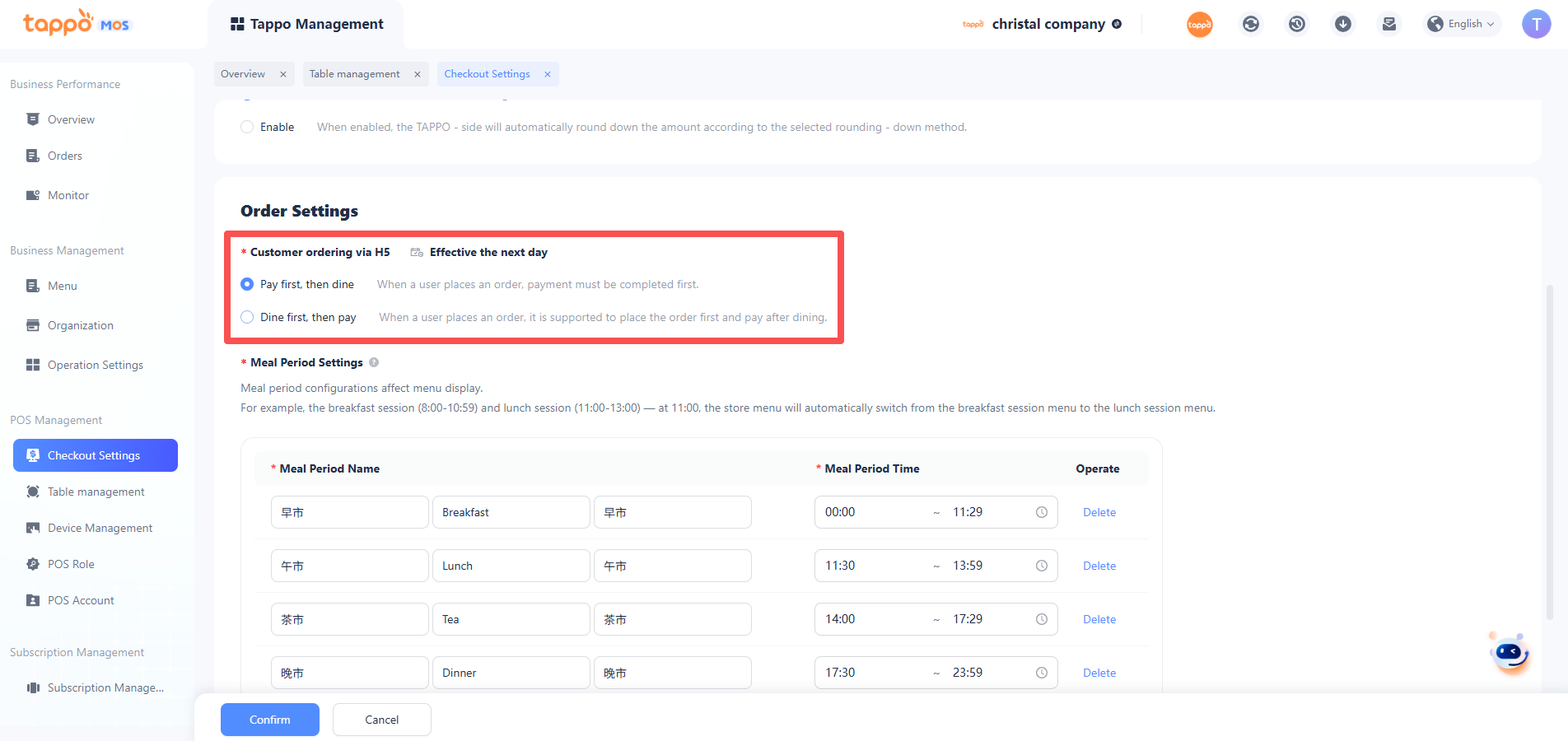
Merchants can independently choose whether the store adopts the “Pay First” order process or the “Place Order First, Pay Later” order process according to the store’s actual situation. The specific operation is: Configure in MOS -> Tappo Management -> POS Management -> Cashier Management. Select one of the two options, and the configuration will take effect the next day after saving.