


- Home
- Guides
- TAPPO Management
- Cash Register Settings
Cash Register Settings
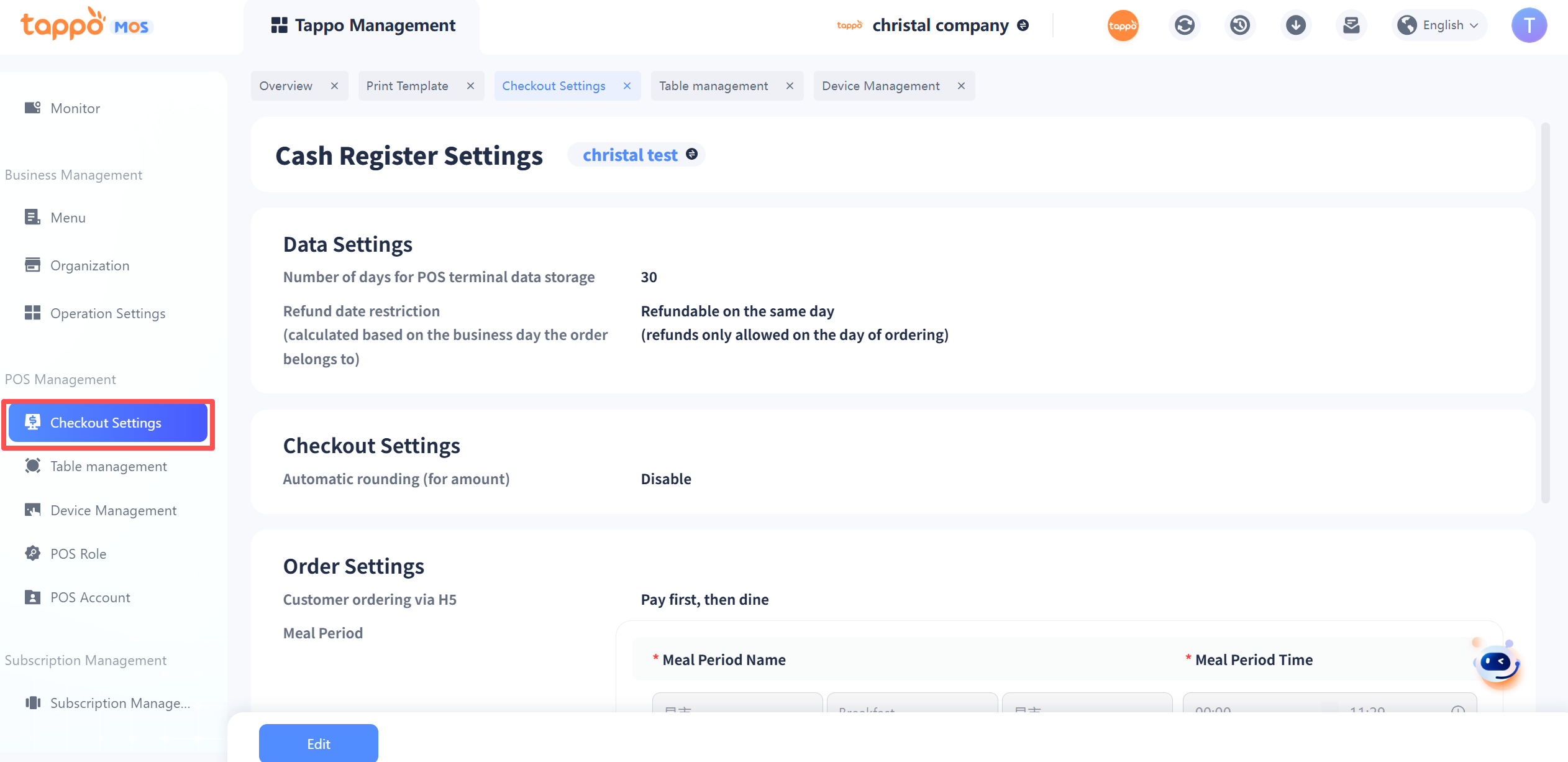
Path: Tappo Terminal Management -> POS Management -> Cash Register Settings
| Configuration Item | Description |
|---|---|
|
Data Retention Days on POS Terminal |
This function controls the local data storage time on the Tappo POS terminal. Data stored locally will be cleared after exceeding the retention days. Please choose reasonably according to the device storage space. |
|
Refund Date Limit |
This function controls the order refund date limit on the Tappo POS terminal. Refunds cannot be processed on the Tappo POS terminal beyond the refund date limit. |
|
Automatic Rounding |
Rounding is used for rounding the order amount when paying on the Tappo POS terminal.
1. When set to disabled, it can be maintained independently on the Tappo POS terminal.
2. When set to enabled, it cannot be maintained independently on the Tappo POS terminal. |
| Configuration Item | Description |
|---|---|
|
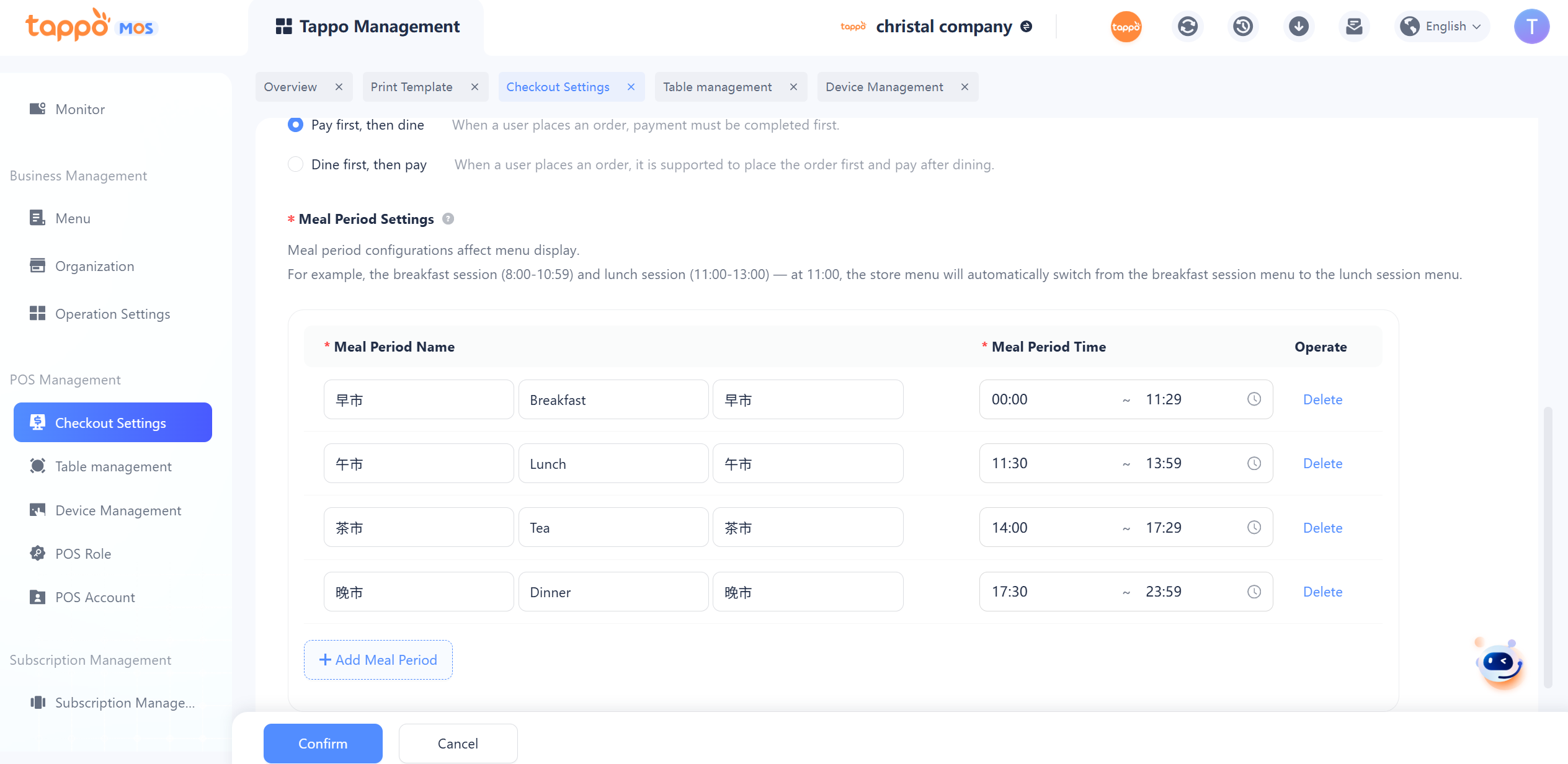
Customers Place Orders via H5 |
This function can configure the order placement method for users to scan codes to place orders:1. Pay first, then dine: Users need to pay to complete the order when scanning codes to place orders.2. Dine first, then pay: Users can place orders and add orders multiple times when scanning codes to place orders, and finally complete the payment through Tappo POS. |
|
Time Period Settings |
Time period configuration is used for the automatic switching of dish supply time. For example, if dish A is sold during the breakfast time period 8:00-11:00, after 11 o’clock, dish A will be automatically hidden in the menu for scanning codes to place orders. The Tappo POS terminal can switch time periods to select dishes outside the current time. |
| Configuration Item | Description |
|---|---|
|
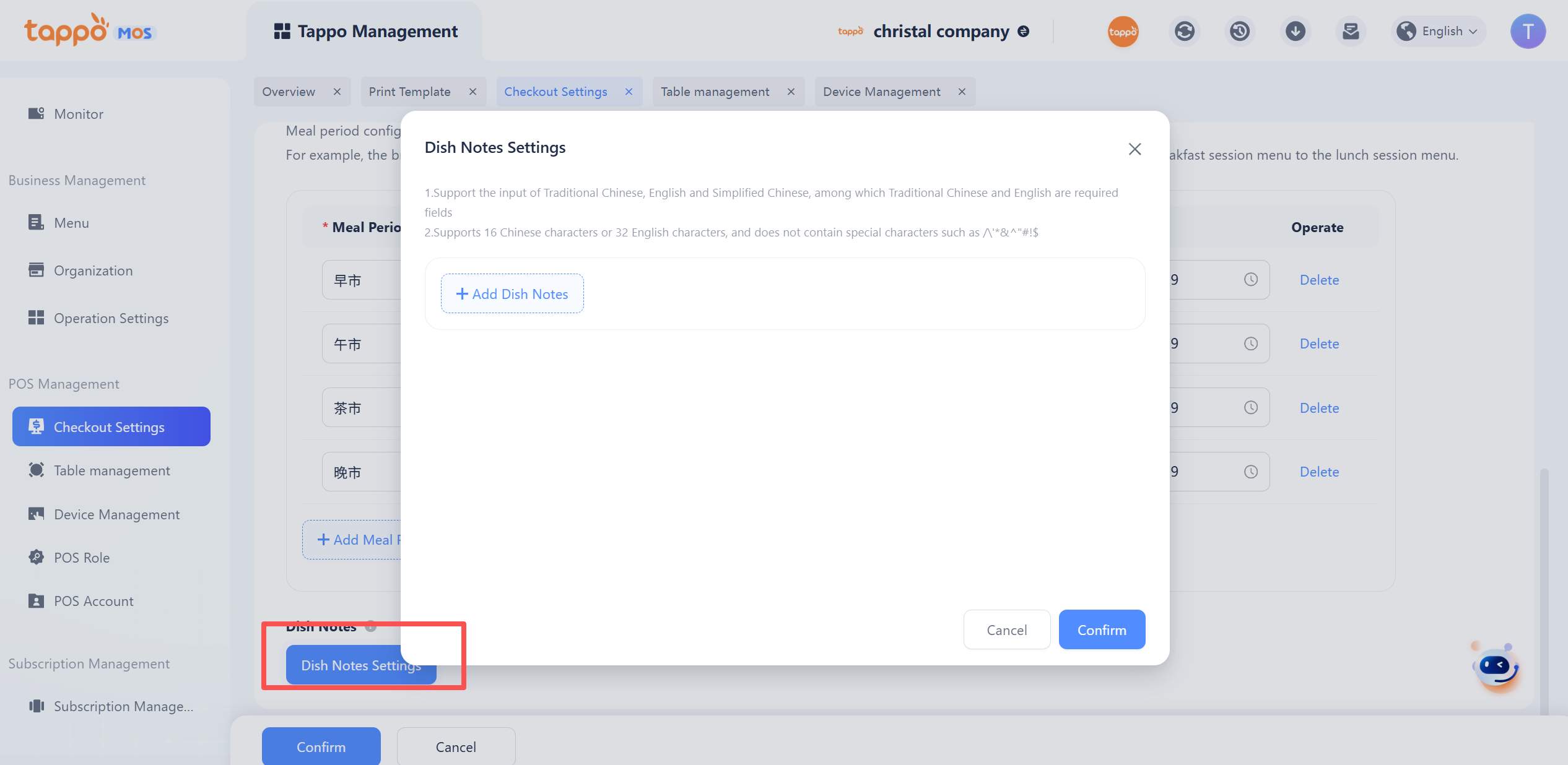
Dish Remark Settings |
After configuration, specific remark information can be selected for dishes when ordering on Tappo POS. The remark information will be associated with the dishes and displayed on the order receipt and split receipt. |