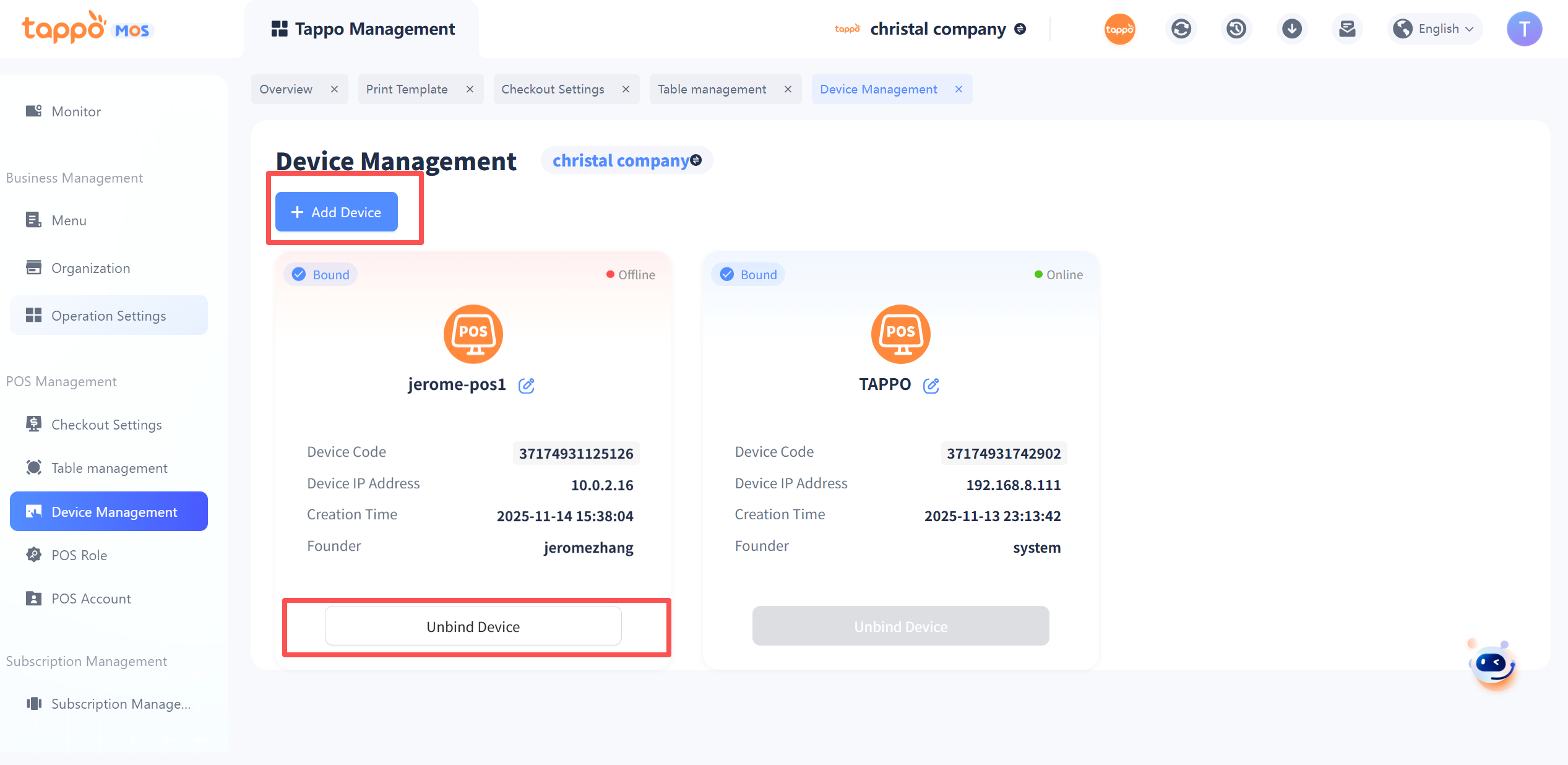
1. Add Device: Click [Add Device], enter the device name in the pop-up window, and click Save to create a new Tappo POS device. It can be bound on the Tappo POS terminal through the device code.
2. Unbind Device: If you need to unbind the device, you can click [Unbind Device] when the Tappo POS device is offline. After unbinding, you need to re-bind when opening Tappo POS again.