

- Home
- Guides
- TAPPO Management
- Overview
Overview
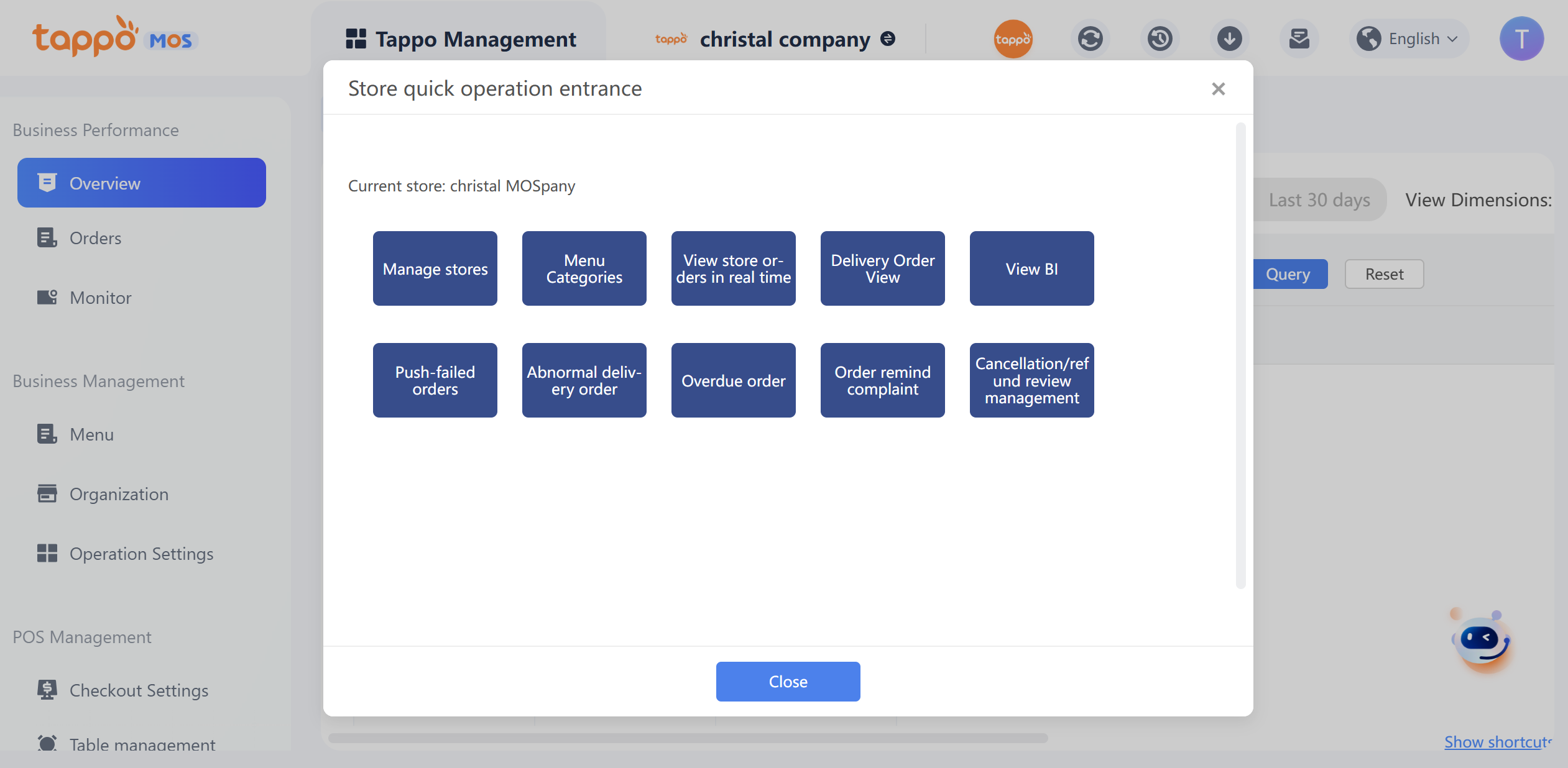
The overview mainly displays order summaries for today, yesterday, the last 7 days, the last 15 days, and the last 30 days. You can switch between different time periods manually, excluding the current day’s data. Explanations of each statistical field are as follows:
• Turnover: The actual total amount of completed orders (totalprice).
• Average Order Value: Received amount / Total number of orders.
• Order Channel Distribution: Proportion of completed orders from various food delivery platforms, self-operated channels (Tappo POS, Scan to Order (H5)).
• Daily Order Volume: Statistics of daily completed orders.
• Time Period Turnover Trend Analysis: Statistics of turnover from completed orders in different time periods.
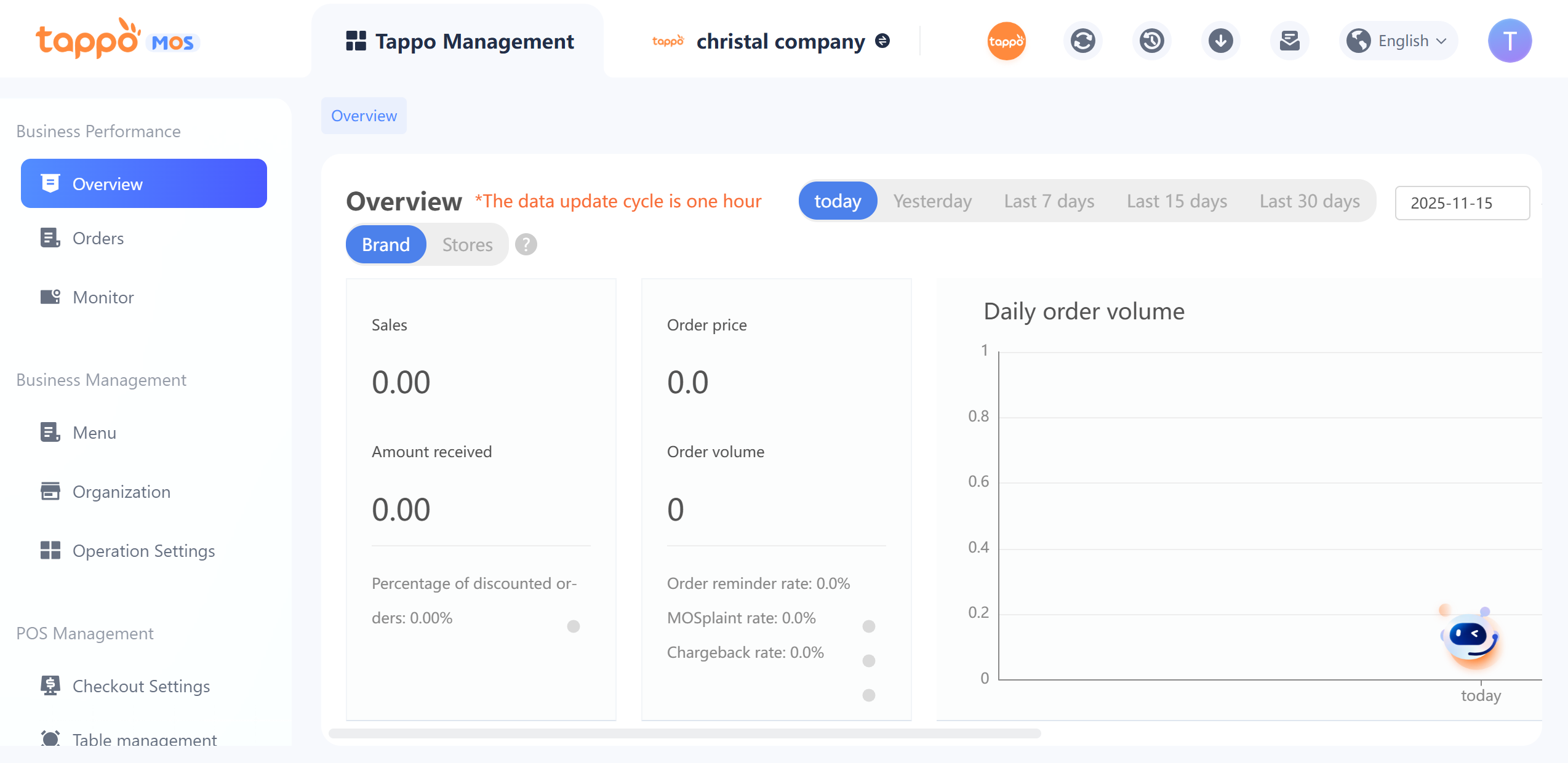
• When switching the statistical dimension from “Brand” to [Store], data statistics for all stores under the current management account will be displayed, with one dashboard per store, as shown below:
Explanations of statistical fields are as follows:
1. Total Order Amount: Defined as the sum of the actual amounts paid by users for the store’s accumulated valid orders, excluding discounts.
2. Merchant’s Actual Revenue: As defined by the current system, for third-party orders, it is the value transmitted by the food delivery platform; for self-operated channel orders, it is the actual amount paid by users. This amount is also the sum of the store’s accumulated valid orders.
3. Expenses:
a. Third-party orders: Platform service fee + discount amount borne by the merchant.
b. Self-operated channel orders: Order discount amount.
c. This amount is also the sum of the store’s accumulated valid orders.
4. Delivery Fee: Sum of delivery fees for the store’s accumulated valid orders.
5. Valid Orders: Orders that have been accepted by the merchant and not canceled, i.e., orders with statuses excluding (Canceled, Pending Payment, Order Sent) and confirmed large orders.
6. Invalid Orders: Canceled, Pending Payment, Order Sent orders.
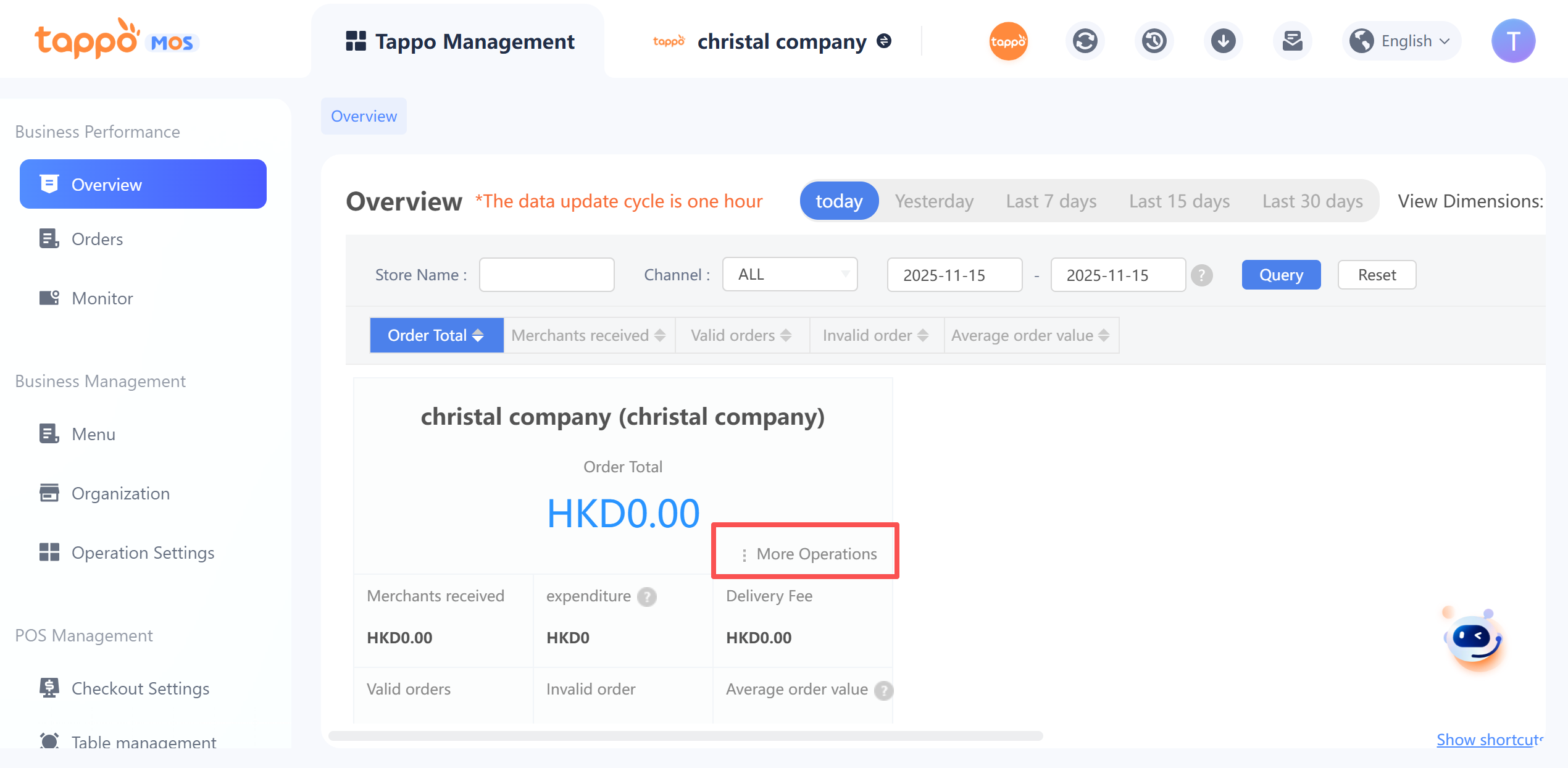
7. Average of the actual amounts paid by users for all store orders (valid & invalid). The actual amount paid by users corresponds to the “Total Order Amount” field in the current system’s real-time order list.When you click
• [More Operations], a panel of quick operation entries for the store will bedisplayed, allowing you to quickly query certain data of the store without filtering for the store. For example, select [View Store Orders in Real Time] to query the store’s daily order list data.