

- Home
- Help Guides
- TAPPO POS
- App Settings
App Settings
5.1 Path: Operating -> App Settings
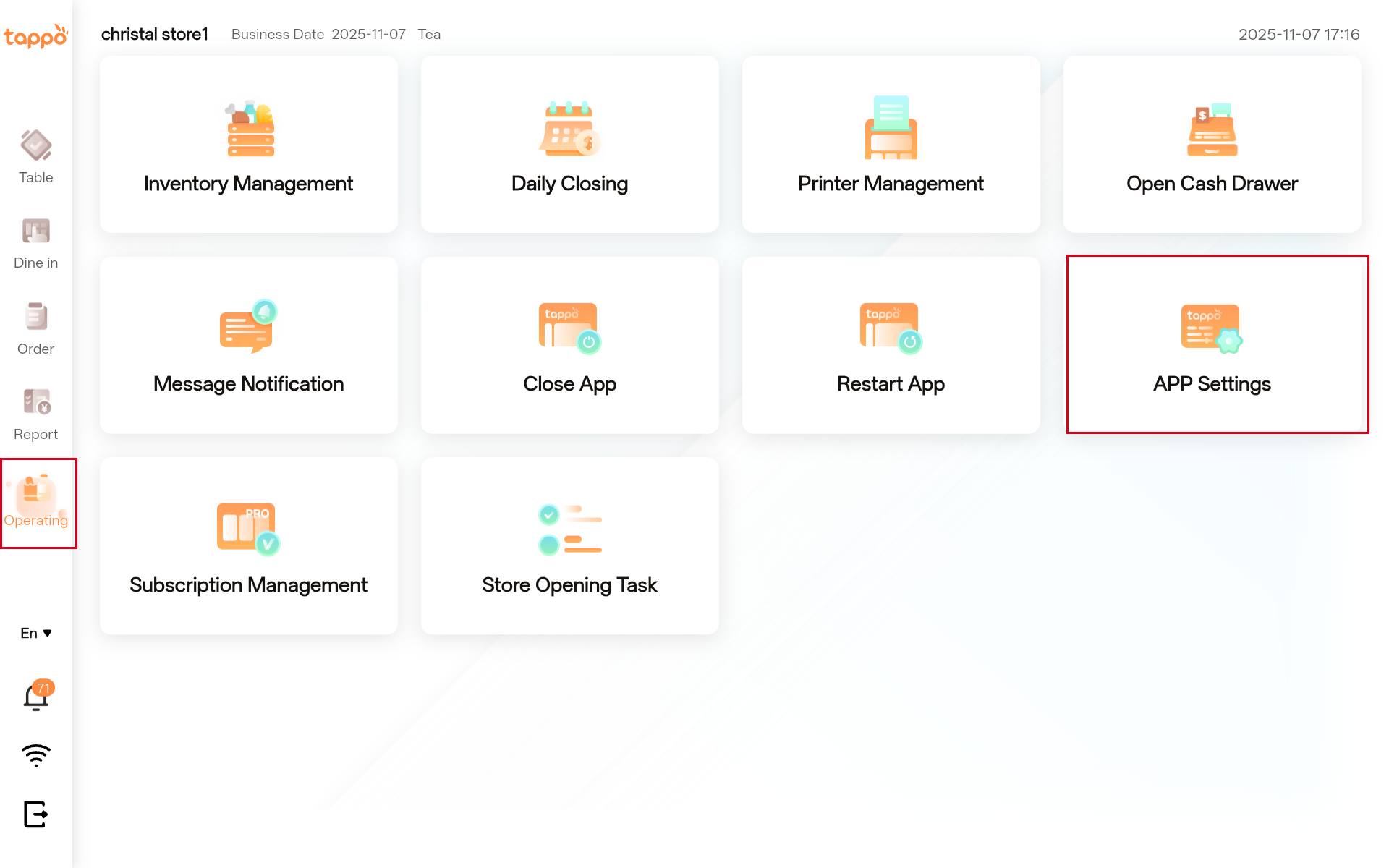
5.2 Function Description
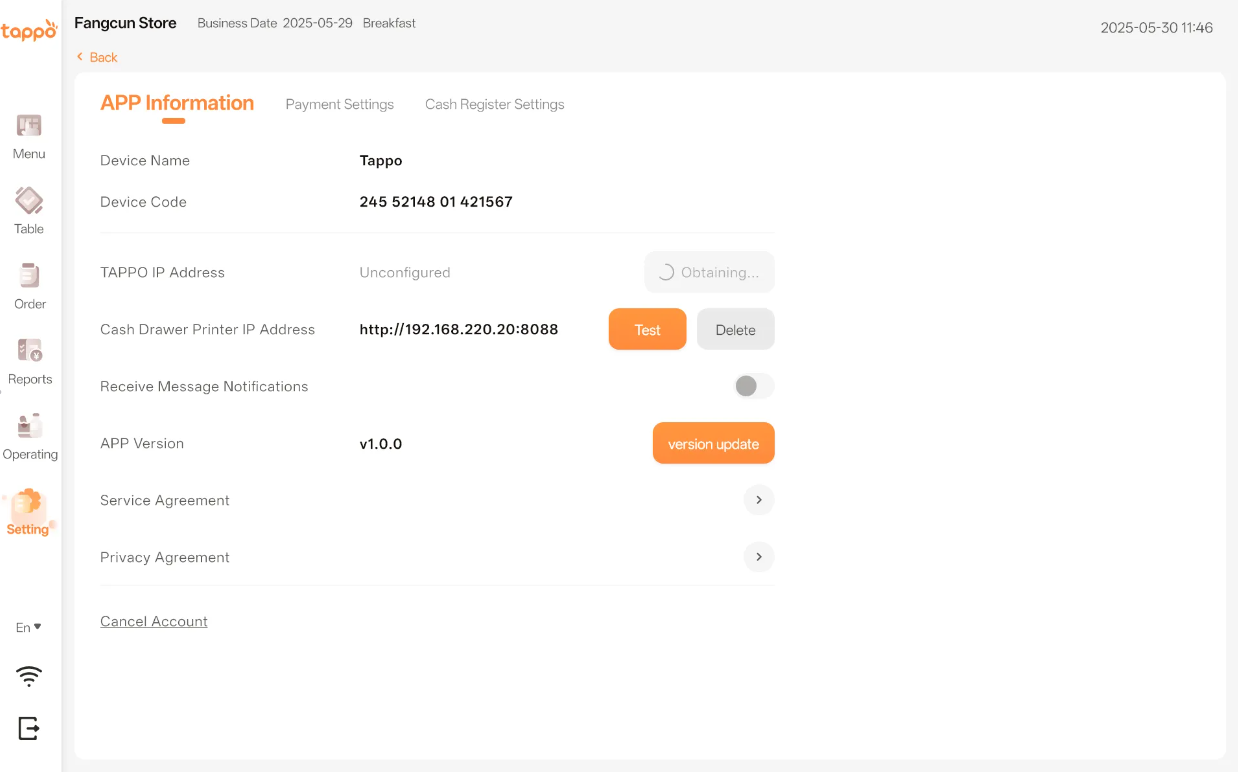
1. Application Information
| Configuration Item | Description |
|---|---|
|
Device Name |
– |
|
Device Code |
– |
|
Tappo IP Address |
The IP address is automatically obtained by the system. |
|
Cash Drawer Printer Address |
If a cash drawer is available, enter the IP address of the printer connected to the cash drawer here. |
|
Receive Message Notifications |
Authorize whether to enable message notifications. |
|
App Version |
Displays the current app version. Click [Version Update] to check for new versions. |
|
Service Agreement |
Click to view the app service agreement. |
|
Privacy Policy |
Click to view the app privacy policy. |
|
Cancel Account |
Click to view the account cancellation method. |
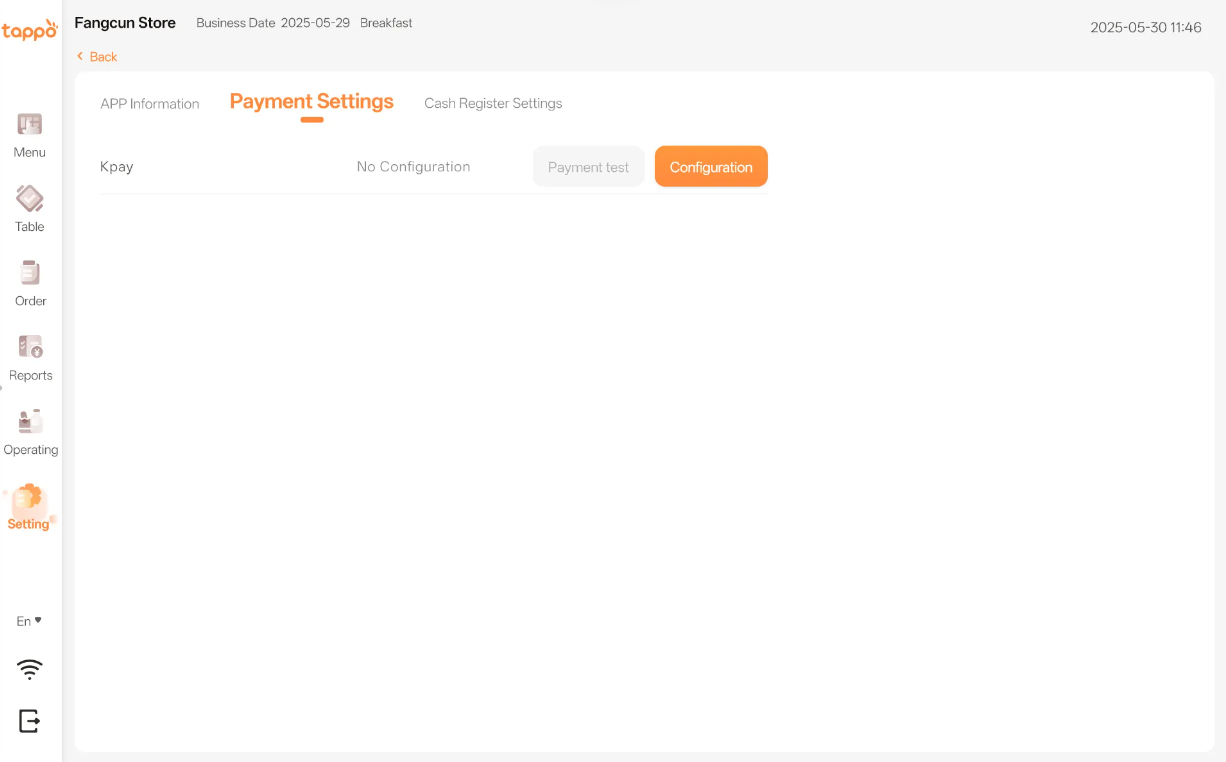
2. Payment Settings
| Configuration Item | Description |
|---|---|
|
Kpay |
Configure the IP address of the Kpay payment terminal here. The Kpay terminal can only be used for payment after configuration. |
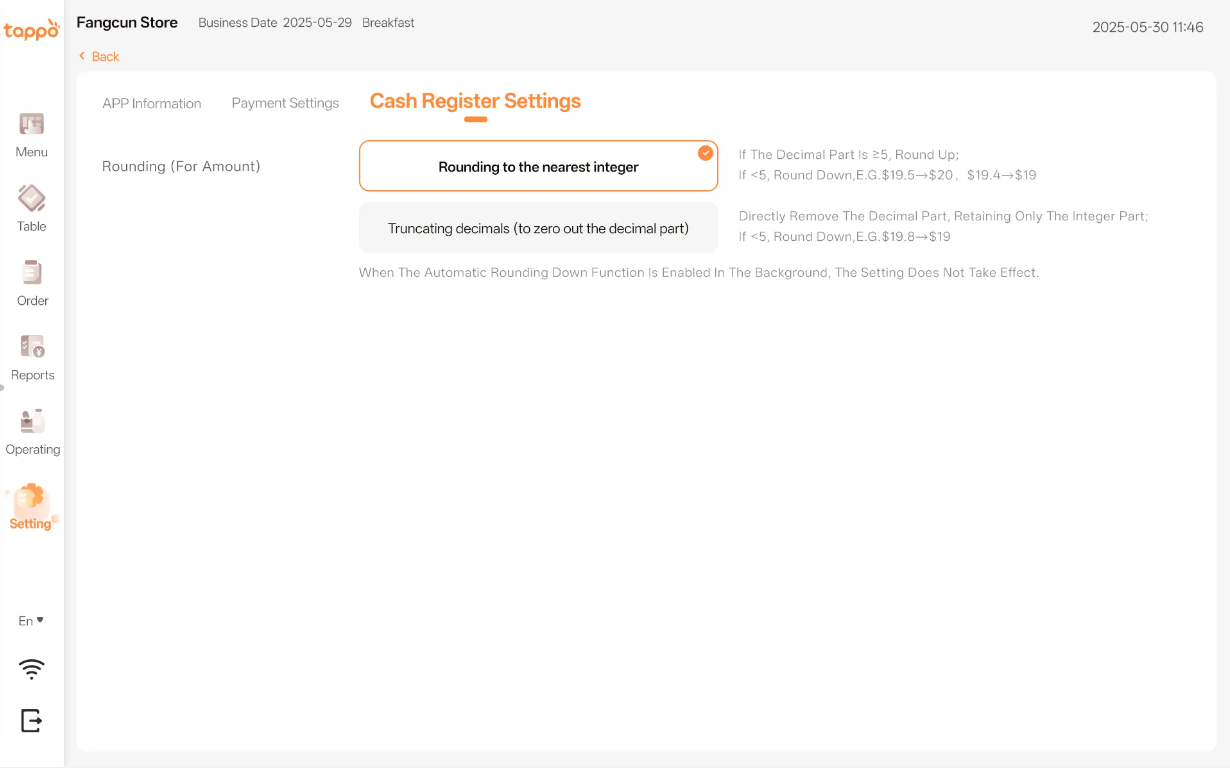
3. Cash Register Settings
| Configuration Item | Description |
|---|---|
|
Rounding Settings |
1) If auto rounding is not configured in the MOS backend’s Cashier Settings, rounding can be set in Tappo POS’s Cashier Settings. See configuration in the POS Management -> Cash Register Settings function of MOS(商家管理後台).
2) If auto rounding is enabled in the MOS backend’s Cashier Settings, Tappo POS will use auto rounding, and the settings here will not take effect.
3) Currently supports rounding up/down or truncating decimals. |