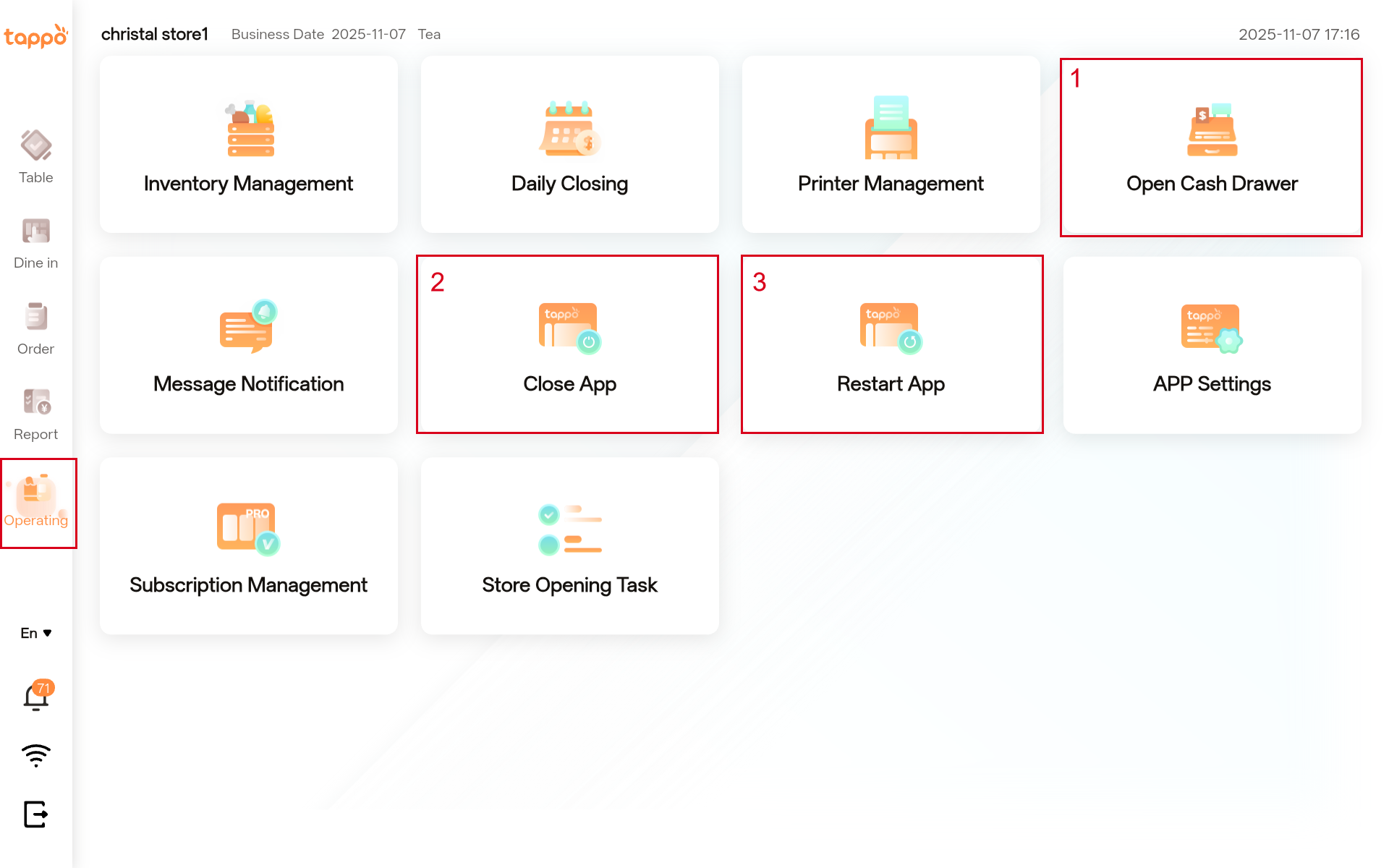
To open the cash drawer, you must first configure the cash drawer printer. If not configured, go to the app’s Operations -> Application Settings -> Application Information function to complete the cash drawer printer configuration. After configuration, click [Open Cash Drawer] to open the cash drawer.
2. Close App
Click [Close App] to quickly close Tappo POS. Note: This function is only available on the Android app; it is not yet available on the iOS app.
3. Restart App
Click [Restart App] to quickly restart Tappo POS. Note: This function is only available on the Android app; it is not yet available on the iOS app.