

Generic selectors
Exact matches only
Search in title
Search in content
Post Type Selectors

Table Number List

Displays table number information configured in MOS(商家管理後台) and temporarily added table numbers.
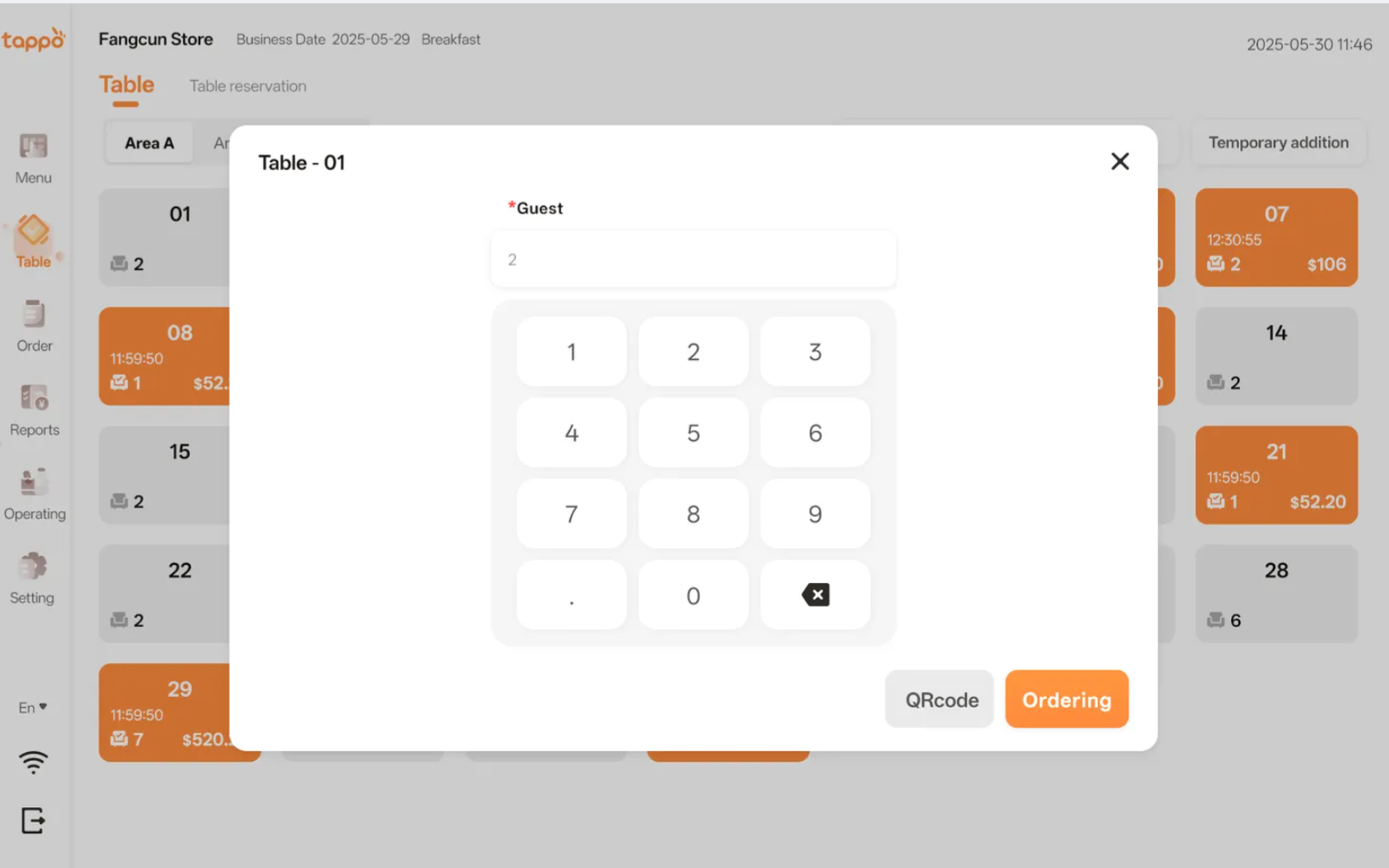
Open Table: Click an available table number to pop up the table opening window.
Continue Ordering or Settle Bill: Click an in-use table number to pop up the table operation window.
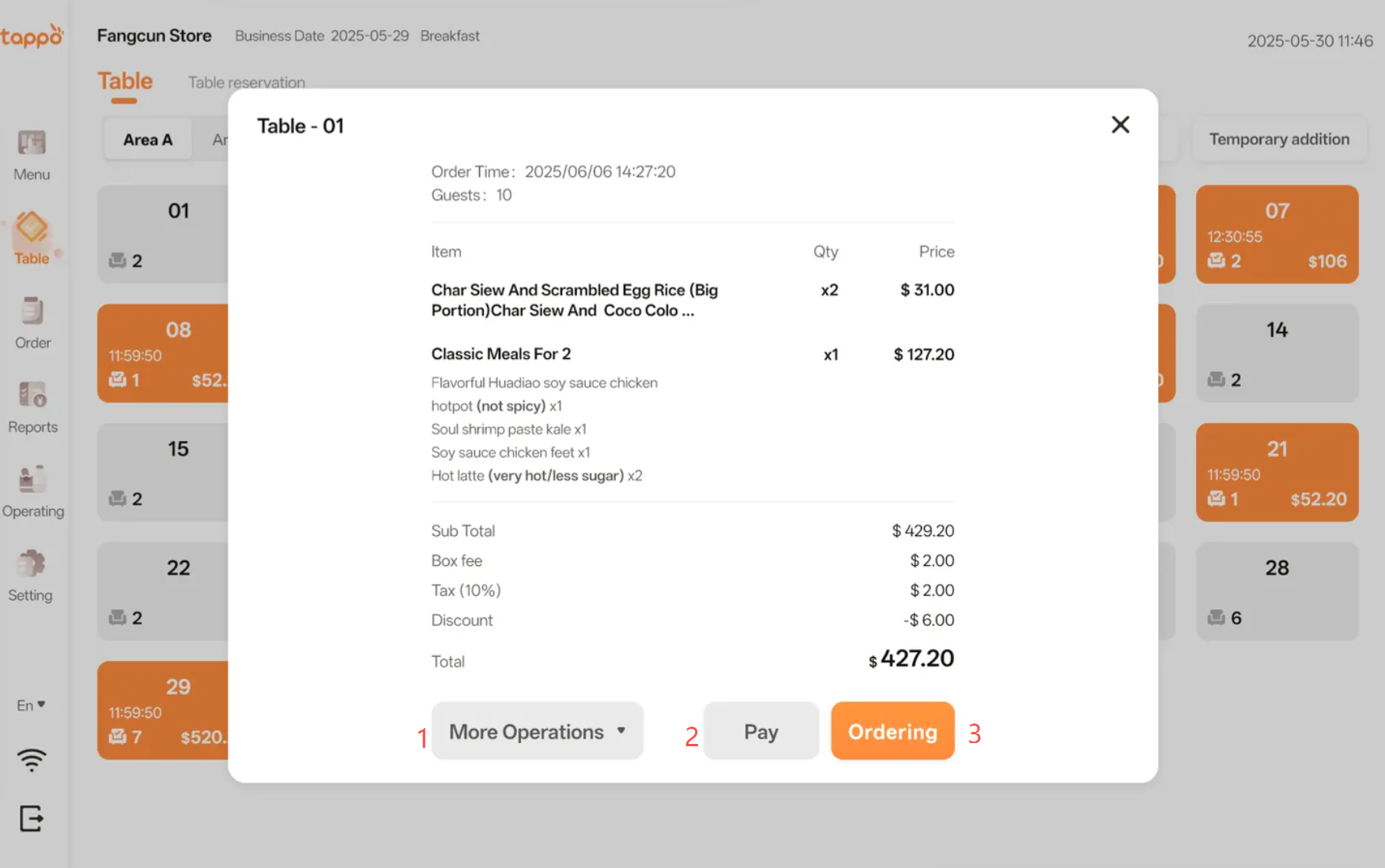
1. More Operations: Click the button to pop up the operation floating window.[Image]
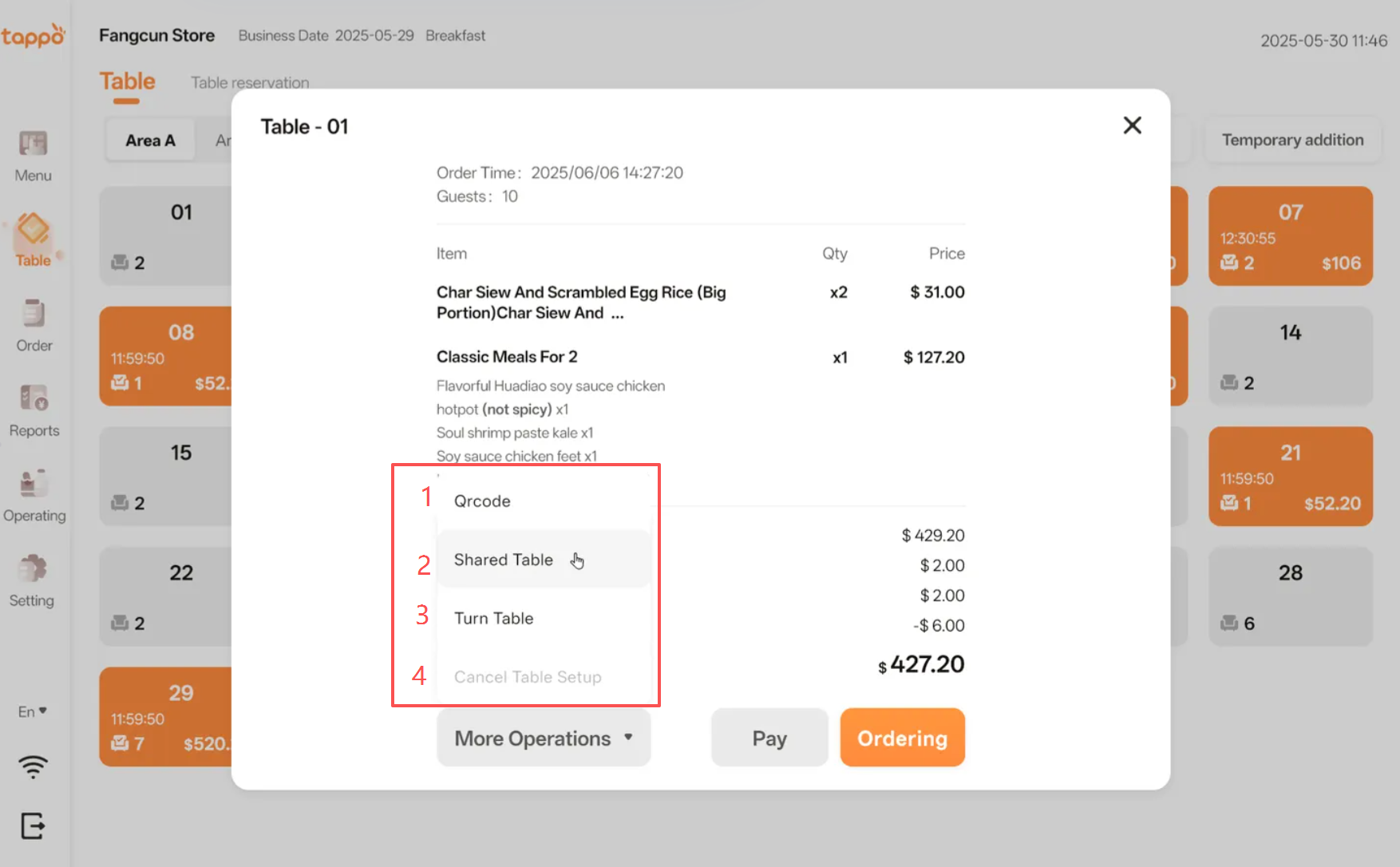
1. QRcode:Click [QR Code] to print the ordering QR code.
2. Share Table : Click the button to enter the table sharing process, supporting the creation of new shared table numbers.
3. Turn Table: Click the button to enter the table transfer process, supporting the transfer of order information from the current table number to other available table numbers.
4. Cancel Table Setup: If the table has been opened and no dishes have been ordered, you can cancel the table opening.
1. Pay: Click the button to jump to the payment page. See details in Section V: Payment.
2. Order: Click the button to jump to the ordering page.

    Create your account