


No Monthly Fee POS Hong Kong: Pricing, Credits and Pay-as-you-go Cost
 Jun 26,2026
  By Tappo Team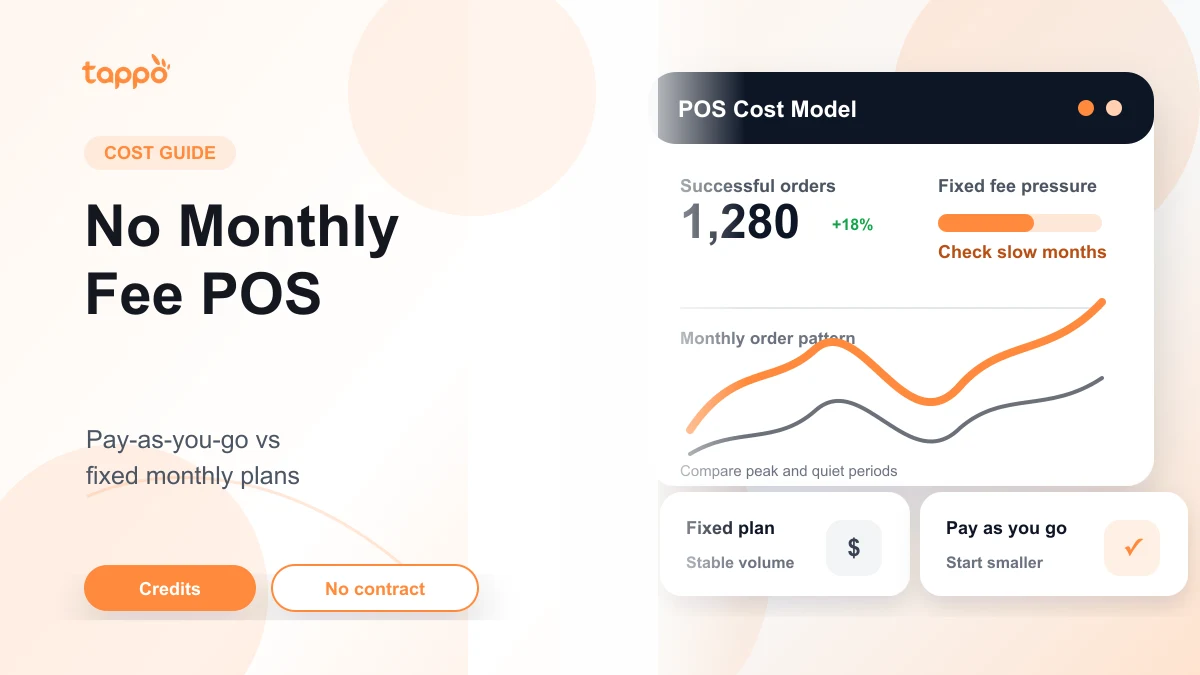
Reviewed by: Tappo Team Last updated: July 2026
In short
A no-monthly-fee POS is best for Hong Kong shops that want lower fixed-cost pressure while they test real order volume. Ask first how usage is counted, whether setup or hardware adds cost, and whether there is a cap when orders grow.
For a small restaurant, cafe or takeaway shop in Hong Kong, choosing a POS system is not only a software decision. It is also a cost decision.
A fixed monthly POS plan may be easy to budget for when your order volume is stable. But if you are opening a new shop, testing a self-pickup flow, or still learning your daily order pattern, a fixed monthly fee can become pressure before the business has settled.
That is why many merchants search for a no monthly fee POS. But "no monthly fee" does not mean "no cost". The real question is simpler: should your restaurant pay a fixed monthly fee, or start with a pay-as-you-go POS model where cost follows successful orders?
No Monthly Fee Does Not Mean Free POS
A no-monthly-fee POS usually means there is no fixed software subscription every month. You still need to understand how the system charges for actual usage, hardware, setup, support and add-on features.
Before choosing any POS, ask what the full cost includes:
| Cost area | What to check |
|---|---|
| Software cost | Is there a fixed monthly fee, or is it based on usage? |
| Order cost | Is usage counted by successful orders, transactions, credits or another unit? |
| Hardware | Do you need a dedicated terminal, printer, cash drawer or tablet? |
| Setup | Is menu setup, staff account setup or test ordering included? |
| Support | Is support included, and how do you contact the team when something goes wrong? |
| Commitment | Is there a long-term contract, minimum spend or cancellation fee? |
If a system says "free POS" but requires extra hardware, paid setup, paid support or high transaction costs, the total cost may still be high. The useful comparison is not free vs paid. It is fixed cost vs flexible cost.
Fixed Monthly POS Plans: When They Make Sense
A fixed monthly POS plan charges a set amount every month. This can work well for restaurants with stable sales, multiple staff, a clear operating process and a need for full support.
The advantage is predictability. You know the subscription amount in advance, and the plan may include software updates, customer support, training or more complete management features.
Fixed monthly plans may suit:
- established restaurants with steady order volume;
- shops with several devices or counters;
- restaurants that need on-site setup or deeper support;
- multi-location operators;
- businesses that need more advanced reports, permissions or operational modules.
The downside is also clear. If your restaurant has a slow month, the fixed monthly fee still needs to be paid. For a new shop, a seasonal business or a small team, that fixed cost can feel heavy.
Pay-as-you-go POS: When Lower Fixed Cost Matters
A pay-as-you-go POS works differently. Instead of paying a fixed software fee every month, the cost is linked to actual usage.
For a restaurant, this is useful when order volume is not stable yet. A new cafe may have a quiet first month. A small takeaway shop may be testing self-pickup orders. A three-person team may want to keep the ordering flow simple before committing to a larger setup.
Pay-as-you-go can be a better fit when:
- you want to reduce fixed monthly pressure;
- you are still testing your menu, pricing or self-pickup flow;
- you prefer to start with a tablet-first setup;
- you do not want a long contract too early;
- you want costs to move more closely with actual orders.
This model is not automatically cheaper for every business. If your order volume is high and stable, a fixed plan may still make sense. The point is that a pay-as-you-go model gives small or new merchants a lower-commitment way to start.
How to Compare the Two Cost Models
The easiest way to compare POS pricing is to look beyond the headline fee.
| Question | Why it matters |
|---|---|
| What do I pay every month even if sales are low? | This shows your fixed cost pressure. |
| What counts as a billable order or usage unit? | This affects how pay-as-you-go cost is calculated. |
| Is there a monthly cap or limit? | This helps you understand cost predictability as orders grow. |
| Do new users receive any free credits? | This affects how safely you can test the system. |
| Do I need to buy specific hardware? | Hardware can change the real startup cost. |
| How fast can staff learn the system? | Slow training becomes an operating cost. |
| What support is included? | Good support matters when a small team is busy. |
For many small shops, the most important line is not the monthly fee itself. It is the total cost of starting, testing and keeping the system running during real service.
If you are estimating the first setup budget, read Small Restaurant POS Setup Cost in Hong Kong. If you already know your setup and want to compare recurring pricing models, read Monthly Fee vs Pay-as-you-go POS in Hong Kong.
How Tappo’s Credit Model Works
Tappo is designed for merchants who want to reduce fixed-cost pressure and start with a more flexible POS model.
The current Tappo pricing model can be explained in simple terms:
- no monthly fee;
- no long-term contract;
- pay-as-you-go based on successful orders;
- new users receive free credits;
- 1 credit = 1 successful order;
- for Hong Kong dine-in, takeaway and self-pickup orders, credits stop being deducted after 3,000 successful orders per month.
This means a new merchant can start with free credits, test real ordering flows and only understand the paid usage model after seeing how the shop actually operates.
For a small shop, the monthly cap also matters. If order volume grows, the merchant should know whether costs keep rising forever or whether there is a predictable limit for the covered order types.
What Counts as a Successful Order?
When a POS charges by order or credit, the definition matters.
A useful question is: what exactly counts as one successful order?
For Tappo, the simple explanation is:
| Term | Meaning |
|---|---|
| 1 credit | 1 successful order |
| Free credits | Credits given to new users so they can start using Tappo |
| Monthly cap | For Hong Kong dine-in, takeaway and self-pickup orders, credit deduction stops after 3,000 successful orders per month |
This wording avoids a common misunderstanding. It is not a time-based free period. It is a credit-based starting point, which is easier for a merchant to connect with actual order activity.
Which Restaurants Fit a No-Monthly-Fee POS?
New Restaurants
New restaurants often do not know their stable daily order volume yet. A pay-as-you-go POS lets the business start with lower fixed cost while testing the menu, ordering flow and staff routine.
Small Cafes and Takeaway Shops
Small teams need a system that is easy to learn and does not require a large upfront commitment. If the team mainly handles counter orders, takeaway or self-pickup, a lightweight POS setup may be enough to begin.
Self-pickup Focused Shops
Self-pickup shops need clear order records, menu flexibility and a smooth handover process. A POS that can support the ordering flow without adding heavy fixed monthly cost can be a practical starting point.
If self-pickup is a major part of your shop flow, compare this pricing guide with Tappo’s self-pickup ordering system guide.
Seasonal or Experimental Businesses
If sales fluctuate or the business is testing a new format, fixed monthly costs are harder to justify. A flexible cost model can reduce pressure during quieter periods.
When a Fixed Monthly POS May Be Better
No monthly fee is not always the best choice. A fixed monthly POS may be more suitable if:
- your restaurant already has high and stable order volume;
- you need several terminals or counters;
- you need detailed multi-store management;
- you need advanced inventory, membership or staff permission tools;
- you want a bundled support package with a predictable monthly budget.
The best POS pricing model depends on the restaurant’s stage, size and operating pattern.
A Simple Decision Checklist
Before choosing between fixed monthly and pay-as-you-go POS, answer these questions:
- How many successful orders do I expect in a normal month?
- Would a fixed monthly fee create pressure during slow months?
- Do I need a dedicated POS terminal, or can I start with a tablet-first setup?
- Do I mainly handle dine-in, takeaway, self-pickup or QR ordering?
- Do I need advanced reports and multi-store controls now, or later?
- Do I want to test with free credits before committing?
- How important is avoiding a long-term contract?
If your answers point to a small team, uncertain order volume and a need to start simply, a pay-as-you-go model may be worth testing first.
Where Tappo Fits
Tappo is a good fit for Hong Kong restaurants and small shops that want to start with lower fixed-cost pressure, avoid long contracts and use a POS model that follows successful orders.
It is especially relevant for merchants who want to:
- start without a monthly software fee;
- test real ordering with free credits;
- manage dine-in, takeaway or self-pickup orders;
- keep costs easier to understand while the shop is still growing;
- use a tablet-first POS setup before adding more equipment.
If your business already needs a large multi-store system, advanced operational modules or a full custom setup, you should compare those needs separately. But if you are starting small and want a flexible POS model, Tappo gives you a lower-commitment way to begin.
How to Compare POS Quotes Without Looking Only at the Monthly Fee
Once you have shortlisted a few options, a POS quote should help you compare the full commitment, not only the headline monthly fee. Ask each supplier to state what is included at setup, what is charged by usage, what your team can test before deciding, and which requirements still need written confirmation.
| What to compare | Why it matters |
|---|---|
| Cost model and any commitment | It shows whether the shop is taking on a fixed monthly cost, usage-based cost or a term that needs closer review. |
| Setup scope | Confirm what is included for menu preparation, onboarding and the first working test. |
| Menu ownership | Clarify who can make ordinary menu changes after launch and what needs separate support. |
| Workflow trial | Use a real busy-shift scenario to see whether order entry, menu changes and customer collection stay clear. |
| Requirements to confirm separately | Do not assume a specific payment method, hardware setup, delivery platform, kitchen display, automatic notification, offline or multi-branch workflow is included without confirmation. |
For a small fast-food or takeaway shop, the best next step is to test the busiest real order flow before committing. See what to test in a fast-food POS at lunch rush.
Learn more about Tappo Hong Kong POS.
If you are still comparing broader POS options, read the companion guide on how to compare restaurant POS systems in Hong Kong.
FAQ
Is a no-monthly-fee POS the same as a free POS?
No. It usually means there is no fixed monthly software subscription. You still need to check usage cost, hardware, setup, support and any other fees.
What does pay-as-you-go POS mean for restaurants?
It means the cost is linked to actual usage, such as successful orders or credits, instead of a fixed monthly subscription.
Does Tappo offer a time-based free period?
Tappo gives new users free credits. The clearer way to understand it is credit-based usage, not a time-based free period.
How does Tappo count credits?
For Tappo, 1 credit equals 1 successful order.
What happens after 3,000 successful orders in Hong Kong?
For Hong Kong dine-in, takeaway and self-pickup orders, credits stop being deducted after 3,000 successful orders per month.
Is pay-as-you-go POS suitable for every restaurant?
No. It is often useful for small, new or flexible operations. Restaurants with high, stable volume or complex multi-store needs may still prefer a fixed monthly plan.
Not sure whether a no-monthly-fee POS fits your restaurant?
Tell us your store type, expected monthly orders, current ordering flow and whether you mainly handle dine-in, takeaway or self-pickup. Tappo can help you understand whether a pay-as-you-go setup is a practical starting point.